

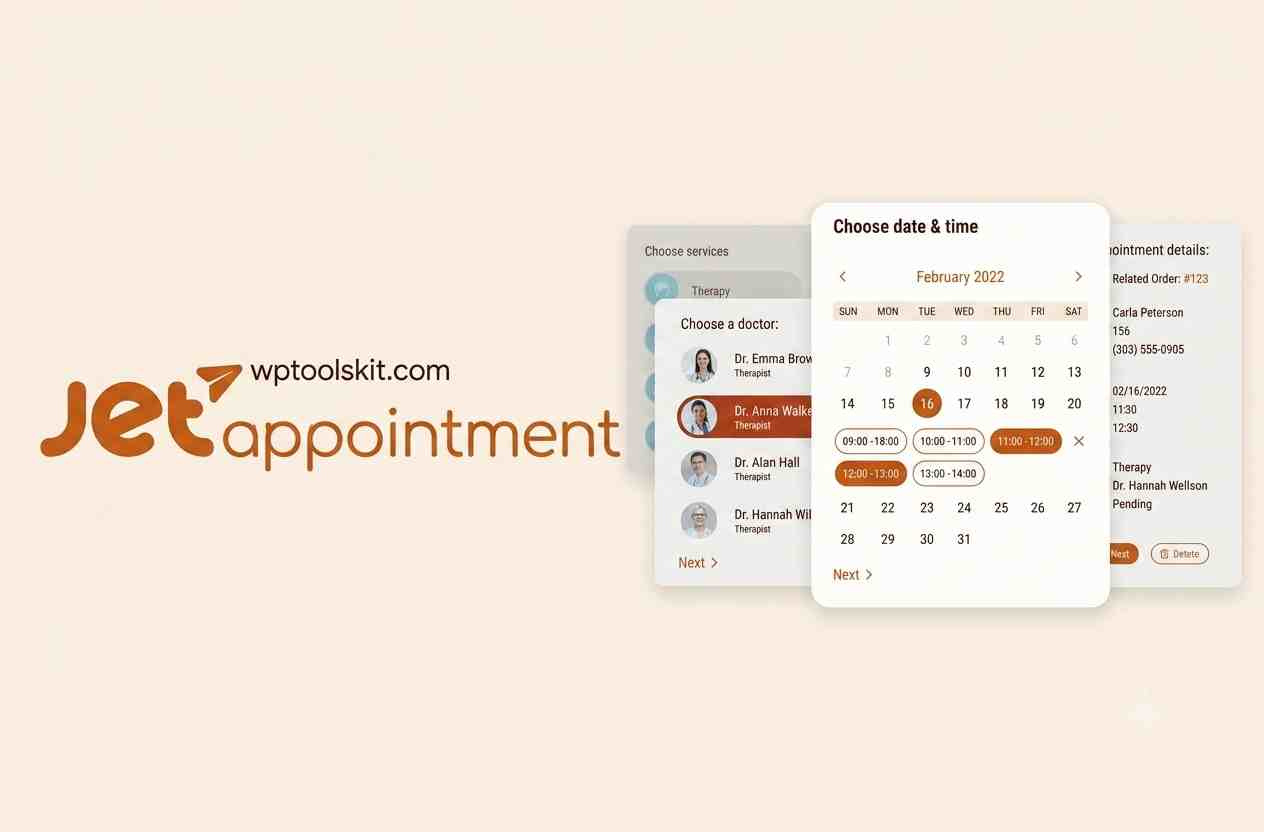
WordPress Appointment Plugin
WordPress Appointment Plugin for Elementor: How To Make a Website for Booking Appointments With WordPress?
Manually handling appointments is quickly becoming unmanageable for any company providing many services, having multiple service providers, various working hours and many customer requests.WordPress Appointment Plugin for Elementor allows us to create a versatile and customizable booking system on our WordPress website.
Developed by Crocoblock, JetAppointment is intended for hourly and time-related services. This Elementor widget works well with Elementor, Gutenberg, and Bricks, and allows us to create appointment websites without developing a booking system from scratch.
What Is WordPress Appointment Plugin for Elementor?
JetAppointment is a WordPress Appointment Plugin booking plugin dedicated to companies that require booking their appointments in advance. Rather than asking clients to fill out contact forms and wait for confirmation of their appointment, we will be able to provide them with an interactive booking experience right on our website.
It has such features as services, service providers, availability calendars, appointment workflow, recurring appointments, and appointment management. The scheduling system of JetAppointment includes Slot, Time Picker, and Recurring modes, which means that we have different options of controlling the process of booking the time of appointment.
Such plugin will work best for consultants, coaches, salons, tutors, personal trainers, doctors and any companies whose appointments are related to the working hours.
Key Features of WordPress Appointment Plugin
Appointment Scheduling Flexibility
JetAppointment helps us to manage appointment scheduling flexibility. Slot Schedule can be used for fixed duration appointments, Time Picker helps our customers to choose a concrete appointment time. Recurring scheduling comes in handy if clients require recurring appointments during a certain period.
Such an option might be especially helpful if services differ in their duration or availability.
Services and Service Providers
We may organize a booking website based on services and providers. Our services may be organized using the WordPress custom post type. At the same time, providers may be linked to the services they provide.
It will help us to create separate service and provider pages and get access to dynamic content with the help of the Crocoblock ecosystem.
For example, a coaching website may offer consultation, business coaching, and strategy sessions while enabling our clients to choose the suitable provider and available appointment time.
Availability Calendar
Availability calendar makes it possible for our clients to see available appointment times. Instead of forcing clients to call the company to understand if a certain time slot is available, we may reveal all possible booking times on the website.
The appointment scheduling system may consider working hours, unavailable slots, and other appointment restrictions to make our scheduling process more organized.
Appointment Workflows
Booking does not have to finish with filling a form. JetAppointment provides us with possibilities to set up appointment workflows that may be helpful for managing appointments and their statuses.
We may build processes that will relate to confirmations and appointments management so that clients and providers will know the current status of an appointment.
Recurring Appointments
Recurring appointments make sense for services that repeat. Fitness, coaching, lessons, and other service businesses might enable their customers to book appointments recurrently without the need to create each one separately.
This feature makes JetAppointment more suitable for service businesses with recurring customer relationships.
Payments via WooCommerce Integration
If payments during the appointment booking process are needed, JetAppointment has integration with WooCommerce.
This connection integrates the appointment forms with WooCommerce features like order creation and checkout process, enabling us to use our existing eCommerce infrastructure on WordPress, instead of implementing a separate payment process.
Appointment Booking Form Creation
Appointment booking forms are created in conjunction with the JetFormBuilder plugin. The information requested by the form depends on the particular project and may include customer info, services selection, providers selection, appointment information, custom fields, etc.
The final form may be displayed not only on regular static pages but on service/provider single template pages as well. According to Crocoblock documentation, the appointment information may be saved into custom post types via form actions.
For Elementor website, we will design the visual layout using Elementor while Crocoblock tools will help us manage the booking information.
Elementor Integration and Dynamic Booking Info
One of the key strengths of JetAppointment is its compatibility with visual WordPress builders. Elementor will help us design the front end, while JetEngine and other Crocoblock plugins will help us with dynamic booking information.
With JetAppointment, we will be able to create custom templates for our services/providers and display dynamic content, including booking forms where necessary.
In this way, we will create a booking website that looks like a custom-designed business platform.
Google Calendar, Online Meetings, and Other Integrations
A modern appointment website requires more than basic scheduling. Current functionality of JetAppointment includes integrations with Google Calendar, WooCommerce, Zoom and Google Meet.
This integration might be especially useful for consultants, remote workers, coaches and other services that hold appointments online.
For Whom Is JetAppointment Suitable?
JetAppointment will be the most relevant for those businesses which provide time-based or hourly services for their customers.
Typical use-cases are:
- Coaches and consulting websites
• Personal trainer, fitness specialist
• Beauty and wellness businesses
• Tutors, educational services
• Medical and specialist consultations
• Professional service providers
• Online consultation businesses
• Agency which provides scheduled sessions
If you run a business which operates with daily or date-ranged reservations instead of appointments, then a different Crocoblock booking solution may suit you better.
How We Can Develop a JetAppointment Website
Here is how a typical implementation can look like:
- Set up WordPress installation and your website
2. Install Elementor or any other supported editor
3. Install JetAppointment and supporting plugins
4. Creation of services and providers structures
5. Schedule your working hours and appointment
6. Choose scheduling mode (Slot, Time Picker or Recurring)
7. Creation of an appointment form using JetFormBuilder
8. Creation of service and providers templates using Elementor
9. Integration with WooCommerce if necessary
10. Detailed testing of booking procedure before launching
Testing is crucial since all elements – appointment availability, timezone management, providers schedule, payments, and confirmations – have to work properly together.
JetAppointment for Elementor: Conclusion
JetAppointment allows building the basis for a WordPress booking website using Elementor. Scheduling modes, services, providers, availability, recurring appointments, workflows, dynamic templates and WooCommerce integration give us great flexibility in terms of booking.
Instead of building our own appointment booking using different separate systems, we can build a connected workflow from service selection to scheduling, payment and appointment management within the ecosystem of Crocoblock tools.
JetAppointment is a good choice if you develop a WordPress project which requires a flexible appointment booking, especially for those which are already built with Elementor and Crocoblock tools.
Demo JetAppointment WordPress Plugin