

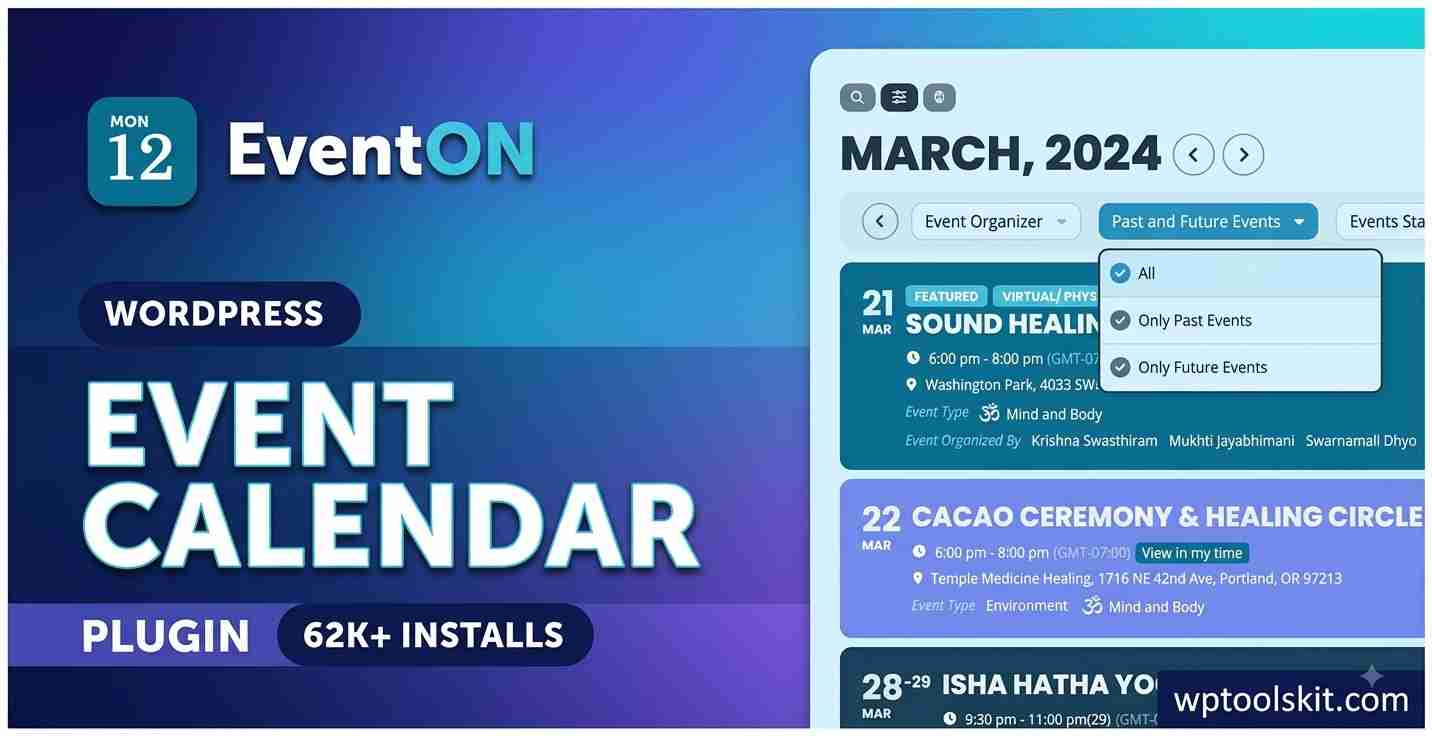
WordPress Event Calendar
EventON WordPress Plugin: WordPress Event Calendar for WordPress
To manage events on a WordPress website, there needs to be a tool that is capable of organizing schedules, locations, organizers, recurring events, images, categories, and all other details about an event without making it cluttered at the frontend level. This is where the EventON WordPress Plugin comes into play as it is developed specifically for managing events and has the ability to provide users with a fully-customizable event calendar.
There are over 200 features currently highlighted by the official WordPress Event Calendar platform, which include recurring schedules, event locations, organizer details, filters, searchable calendars, virtual events, maps, RSVP feature, and ticketing extensions.
What Is EventON WordPress Event Calendar Plugin?
EventON is a plugin of the WordPress for creating, Organizing, and displaying event on your website.
WordPress Event Calendar can display single day, multi day, all day and recurring events. You also have the option of assigning various parameters to your events such as category, location, organizer, images, description and much more. Calendar can be embedded via WordPress blocks, shortcodes or by using templates.
Key Features of EventON WordPress Plugin
Flexible Events Management
WordPress Event Calendar gives you the freedom to manage events any way you like. You can create events with or without an end time, manage all-day events, clone existing events and manage multi day schedules. It is ideal for websites that publish both events that happen only once and events that happen on regular basis.
Recurring events are very convenient in cases when we are dealing with classes, weekly meetings, monthly workshops, seminars and other repeating schedules.
Customizable Event Calendars
Another great thing about EventON is that it is all about calendars. You can customize event rows, calendar style, date format, time format, colors and many other visual aspects according to the look of your website.
Different styles of display can be used based on the type of the website. EventON offers layouts such as tile presentation, image-oriented calendars and much more.
Categories, Filtering, and Search
It can be hard to use large event libraries if they are not organized properly. With EventON, we can add categories to events and build calendars that show selected categories of events.
Filtering and searching options will help visitors find certain events using information about these events. Sorting and month options make the search easier, especially when there are a lot of upcoming events on a website.
Event Locations and Google Maps
Another significant aspect of event management is location information. EventON helps us to save the information about the locations of events, reuse the locations, and add map-related information. We can set location coordinates and options related to interactive Google maps for events.
This may be helpful for conferences, restaurants, educational institutions, communities, business organizations, and even event websites in local cities when visitors need detailed directions before going to an event.
Organizer Information
We can also add organizer information to events and reuse this information for other events managed by the same person, organization, or company.
If a website has many speakers, hosts, instructors, or teams for events, organizer information will look better on the pages.
EventON for Virtual and Hybrid Events
Events do not have to be hosted in physical spaces only anymore. Also, EventON covers virtual and hybrid event workflows by using its wide range of add-ons and features.
For example, the platform has features related to virtual attendance, access control, live event status, progress, and other elements related to the services like Zoom and Jitsi. In other words, we can use EventON as a tool for holding virtual and hybrid events, meetings, webinars, and workshops.
EventON Add-Ons and Extended Features
A basic calendar can be extended with help of EventON add-ons. Using an add-on structure, we are able to extend EventON features in a way that would fit specific website needs and not all features at the basic level.
Among extensions, there are solutions related to tickets purchase, RSVP, events listing, filters, virtual events, photo gallery, reminders, and other special features. Official EventON website says that ticketing features could use WooCommerce as well as RSVP features could collect visitor data and manage attendees from backend.
EventON and SEO-Friendly Event Publishing
Event information has to be clear both for visitors and for search engines. In addition, EventON has built-in structured data elements for event information as well as event fields where we can organize event date, time, location, description, etc.
At the same time, it is necessary to keep titles, descriptions, dates, and content accurate and relevant when publishing events.
Who Should Use EventON?
EventON will work well for those sites which need to publish events on a regular basis. Some common applications are:
- Conferences and business events
• Universities and schools
• Workshops and training
• Churches and other communities
• Webinars and virtual events
• Local activity calendars
• Clubs and membership websites
• Recurring events and classes
• Businesses conducting promotional events
Its event management, calendar configuration options, filters, geographical coordinates, and add-ons make it perfect for use both in basic calendar and complex event management applications.
EventON WordPress Plugin: Final Review
EventON provides an all-inclusive way to turn your WordPress site into an event publication tool. EventON’s best features are recurring events, customizable calendar layouts, categories, event images, organizers and locations data, maps, filtering, searching, virtual event capabilities, and expandable add-on ecosystem.
In case if the calendar events play a significant role for your website, then a configurable calendar will become much more convenient than posting new content for each event separately. And EventON allows you to integrate all those events into one WordPress-based workflow, providing several means for finding the upcoming events for visitors. Official plugin documentation proves it.For websites where events are an important part of the content strategy, a flexible calendar is considerably more useful than manually creating separate posts for every activity. EventON brings those schedules into a centralized WordPress workflow while giving visitors multiple ways to discover upcoming events. The official plugin documentation and feature set also demonstrate its continued focus on customization and modern event-management requirements.
Demo EventOn CodeCanyon 1211017